
In short
We rebuilt AMAID.co in three phases, and each one launched and earned money before the next began:
- Website and booking engine: live prices, one-page checkout and subscriptions.
- Customer apps and pricing admin: native iOS and Android apps, plus admin control over services, location-based prices and coupons.
- Cleaner app and operations: job claiming, verified start and finish, live tracking, SOS and one-click payouts.
Where AMAID started
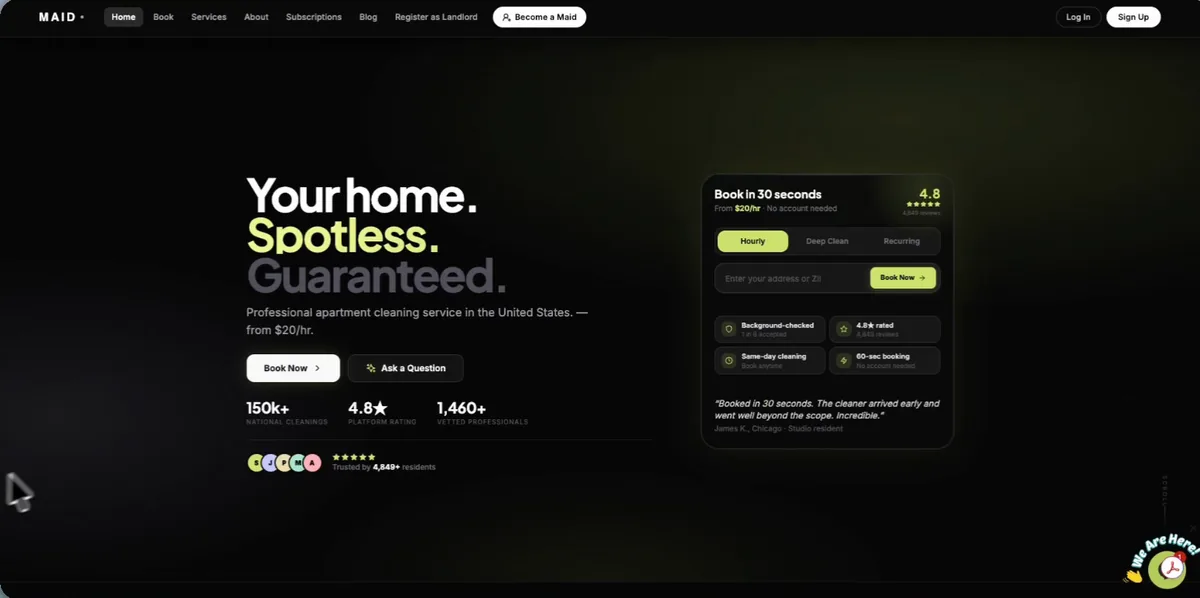
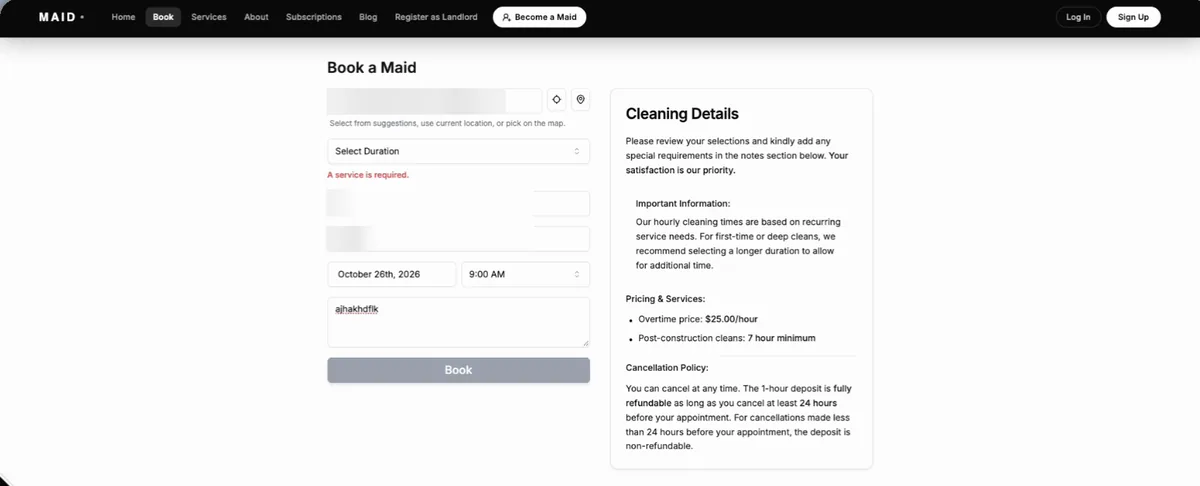
When AMAID first came to us, the business was in better shape than its software. The homepage looked polished. But when a customer clicked Book Now, they landed on one plain form: address, apartment number, ZIP code, date and notes. There were no prices as you went, no services to choose from and no extras. Some days the form wouldn't even submit: it showed "A service is required" on a page with no services to pick.
Everything after the form was manual. Someone had to quote the price, find a cleaner, send them to the address, check the job was done and pay them. AMAID didn't need a prettier website. It needed a system.
Phase 1: The website and booking engine
We started where customers start, and rebuilt AMAID.co from scratch.
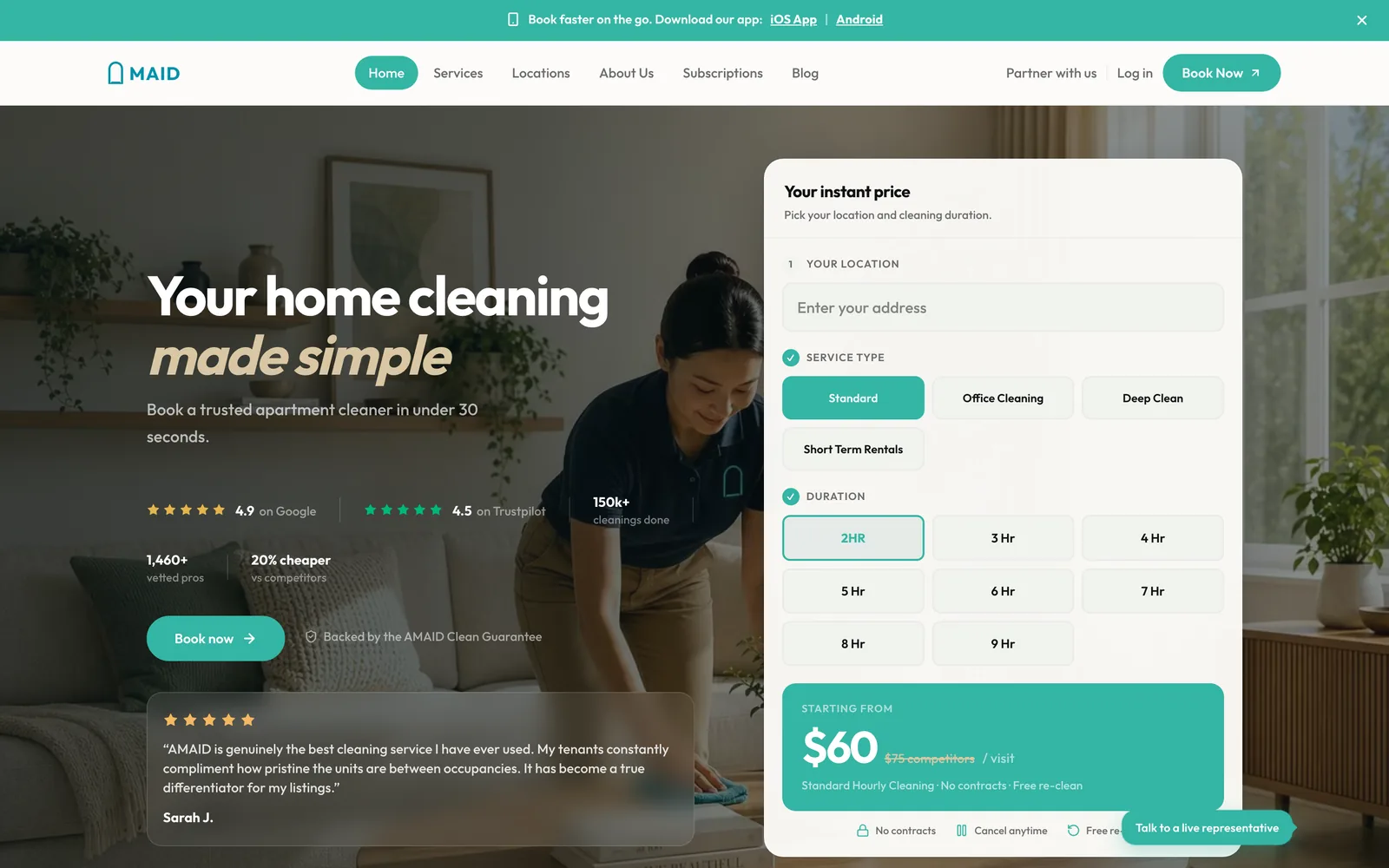
- Booking starts on the homepage. The customer picks a service and a number of hours, and the price updates live as they choose. Nobody waits for a quote.
- One-page checkout. Details, date and payment happen on a single page, and a booking takes under sixty seconds.
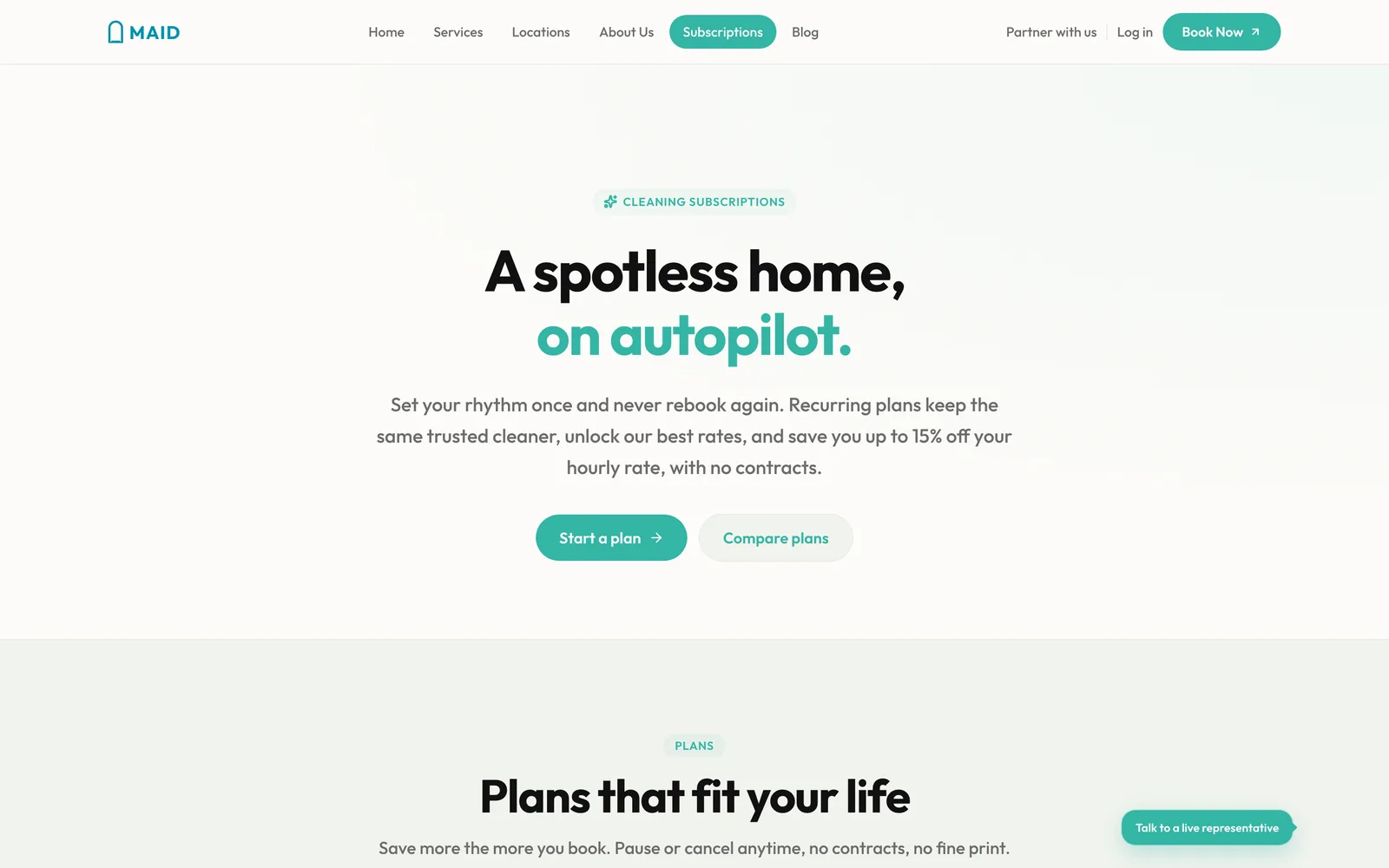
- Subscriptions. Weekly, every two weeks, monthly, or a custom schedule, with a discount for committing.
- Several visits in one booking, for customers who already know they'll need more than one clean.
- Small things that build trust: clear prices, a written guarantee, a pets-at-home toggle and before-and-after photos you can drag to compare.
Lesson: the first thing to fix was the price. When customers can see what they'll pay, they're far more likely to book.
Phase 2: Customer apps, and the admin that powers pricing
Next, we took booking mobile with native iOS and Android apps, both live on the App Store and Google Play. The apps go further than the website:
- Customers choose one-time or subscription first, then pick a date and an arrival window.
- The price updates live as they change hours and the number of cleaners. Add-ons and instructions for the cleaner are built in.
- Subscriptions run on the exact weekdays the customer chooses, and each visit in a plan can be customized on its own.
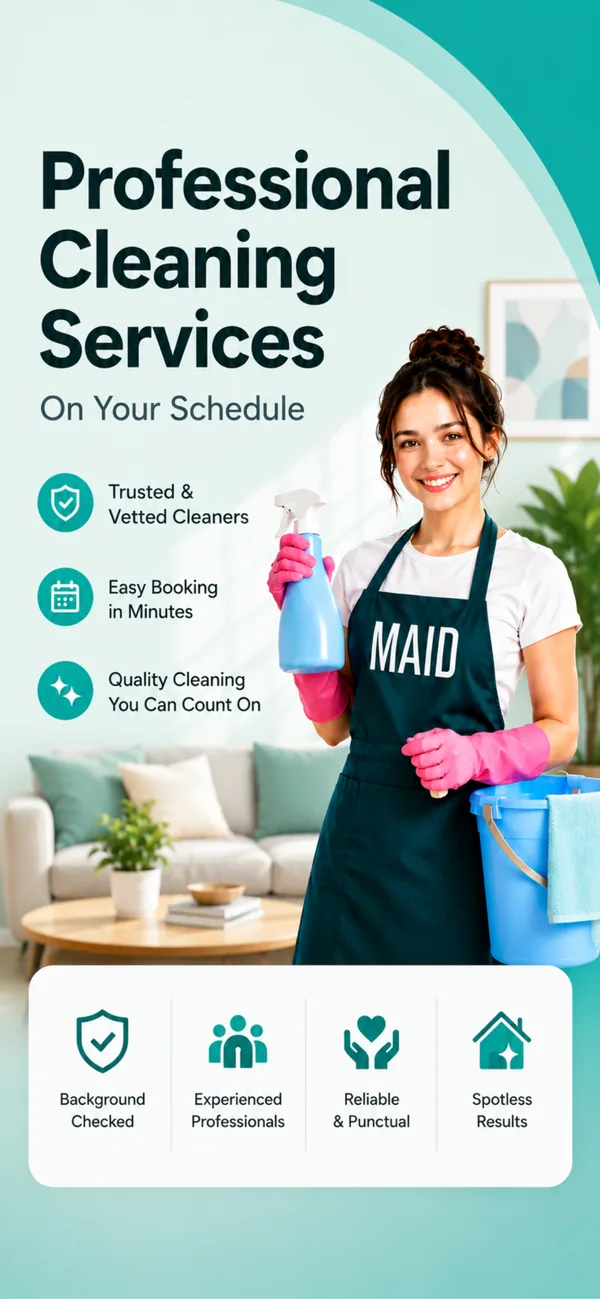
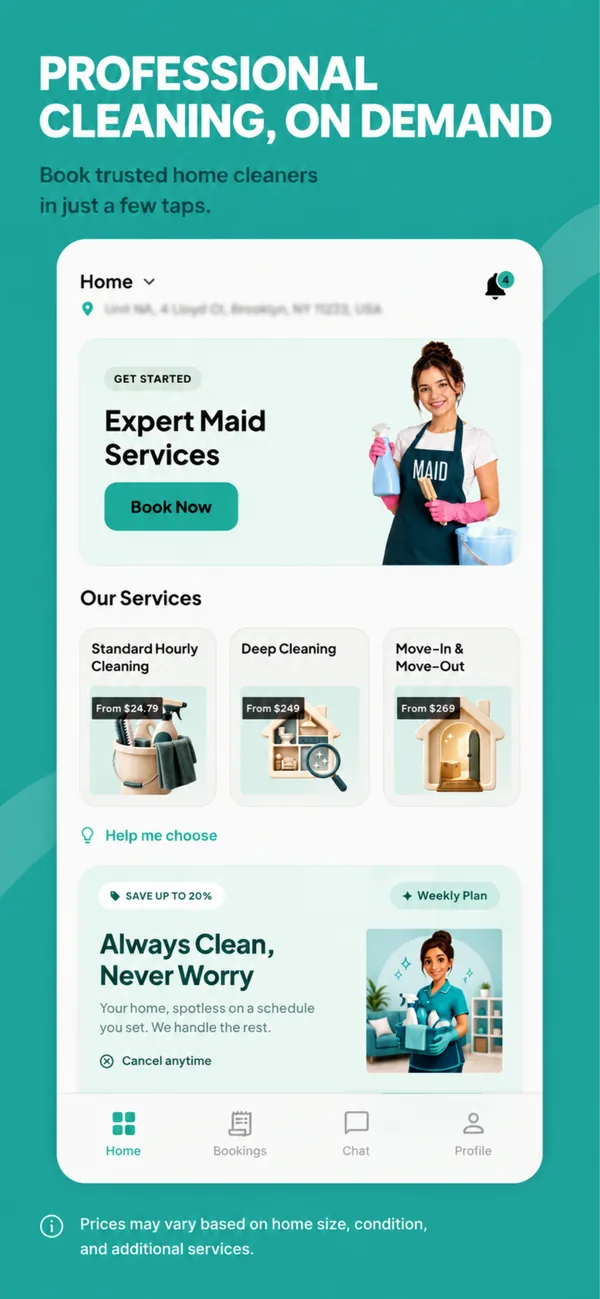
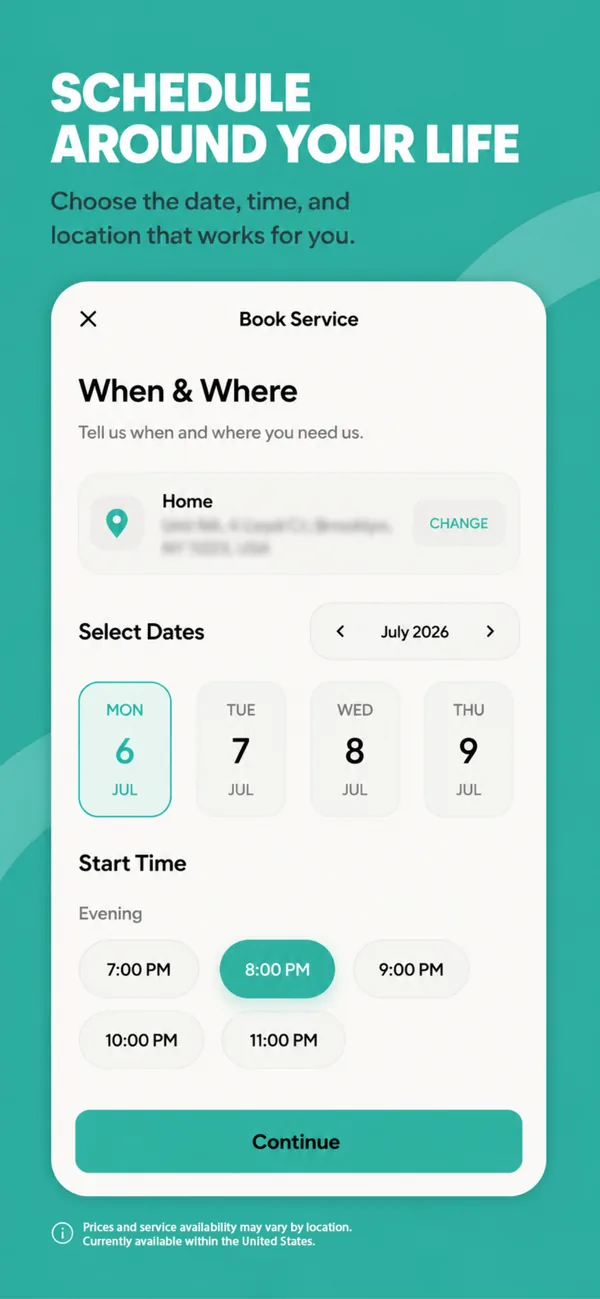
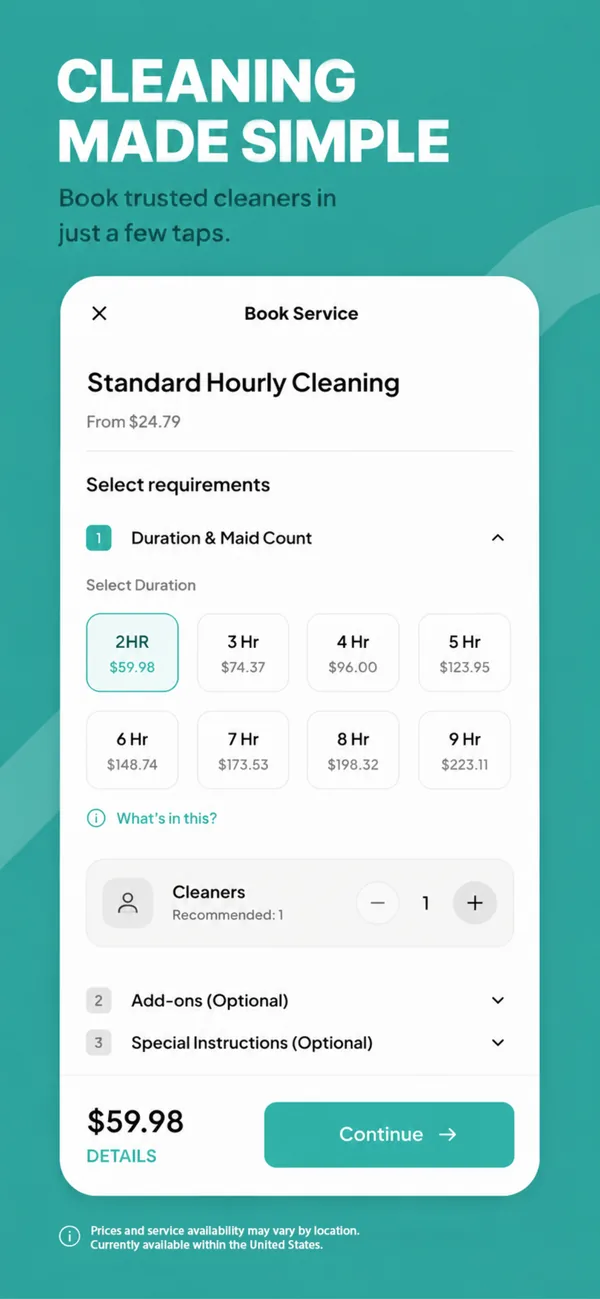
The customer app's App Store screenshots.
Live pricing only works if the business controls its prices, so this phase also delivered the first half of the admin platform: everything to do with customers and pricing.
- Unlimited services. The team creates them in the admin, with the duration, crew size and cleaner pay for each one. A new service needs no developer.
- Location-based pricing. The team draws a pricing boundary on a map, down to a single building.
- Coupon rules that can target a user, a building, a service, a role or a crew size.
- Landlord partnerships, so property owners can bring their buildings onto the platform.
Lesson: give the team control of prices from day one. A price hard-coded into an app is a developer ticket every time it changes.
Phase 3: The cleaner app, and the operations behind it
With demand flowing in, the bottleneck moved to getting the work done. Phase 3 built the other side of the marketplace.
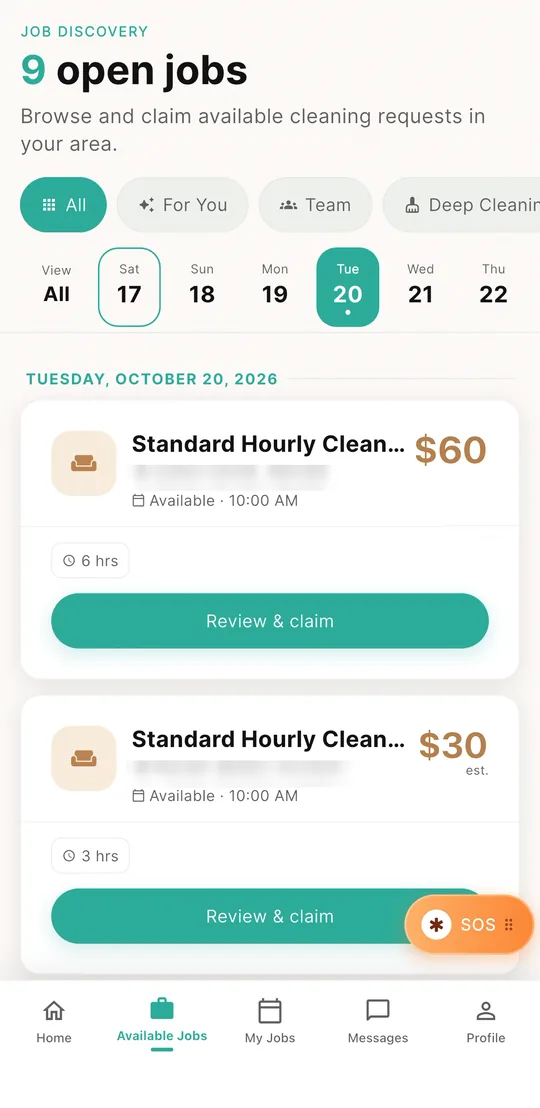
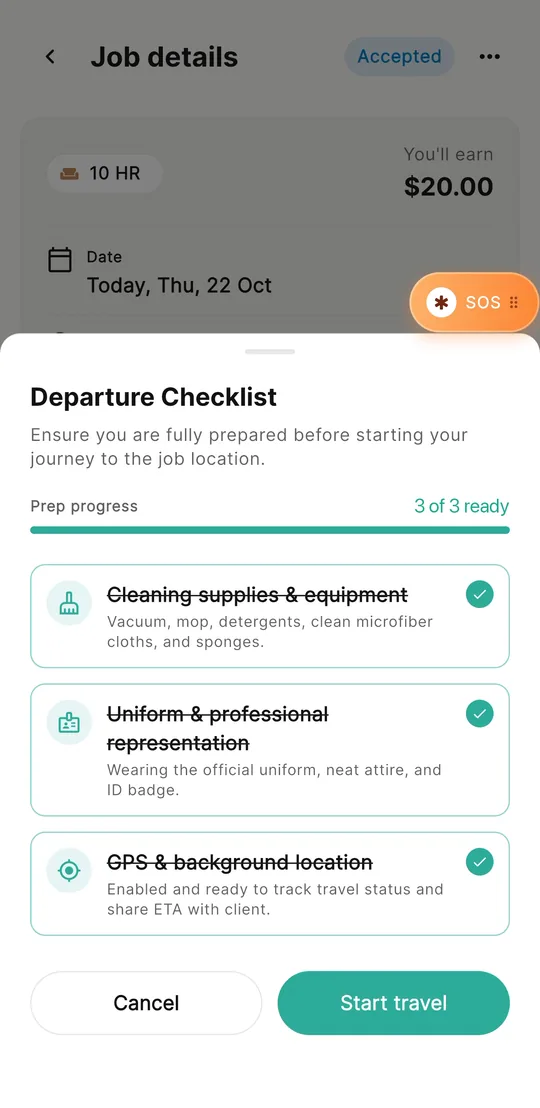
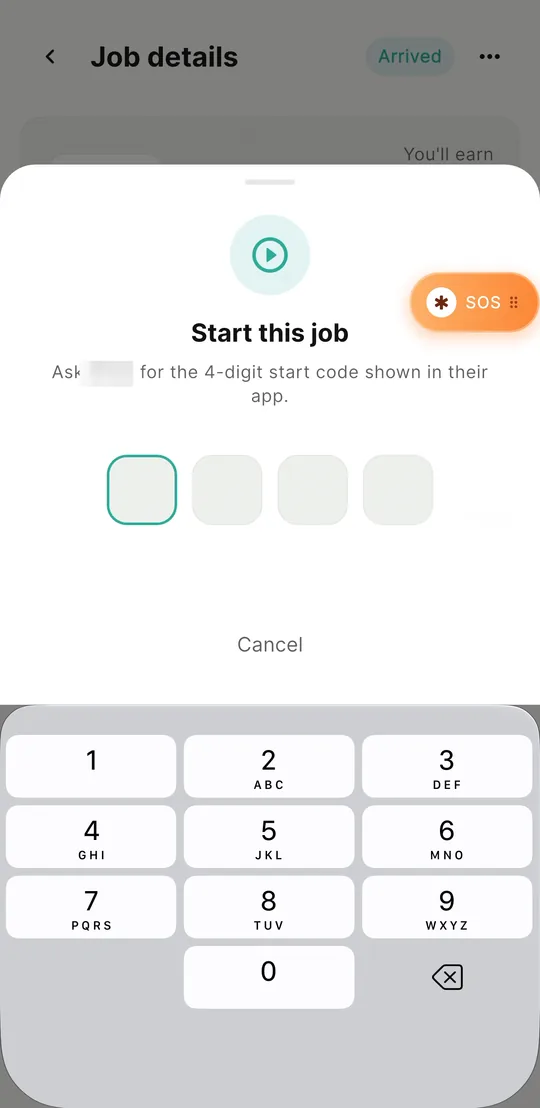
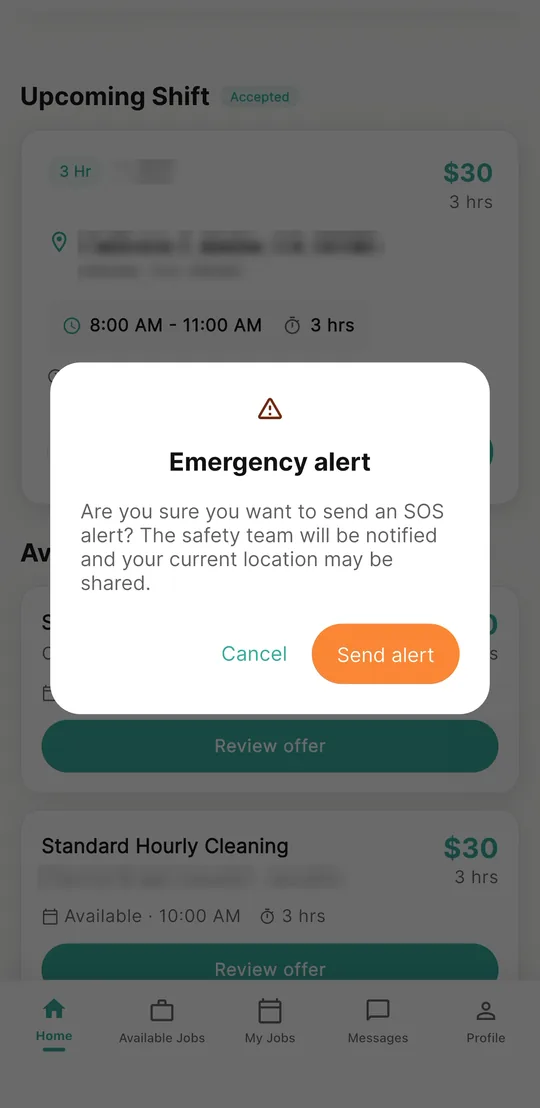
The cleaner app: claim a job, run the checklist, start with the customer's code, and SOS if anything feels wrong. Test data blurred.
The cleaner app
- Onboarding inside the app. Cleaners sign in with a one-time code and connect their bank account for payouts through Stripe.
- Open jobs listed by day, each claimed with a single tap.
- A checklist before every trip, covering supplies, uniform and GPS. The customer is told the moment their cleaner is on the way.
- Two verification codes for every job. A code from the customer starts the job, and a second code closes it.
- Earnings and tips in one place, and an SOS button that alerts the safety team with one tap.
The operations side of the admin
- Live travel tracking. The team follows every trip on a map in real time, and customers see the same live location in their app.
- A live map of every cleaner, and a search that finds the nearest free cleaner for any address.
- A cleaning schedule that tracks every booking.
- Cleaner payouts released in one click.
- Chat between staff, cleaners and customers, and SOS alerts that show up instantly.
Lesson: in a services marketplace, trust runs both ways. Verification codes, live tracking and SOS protect the customer, the cleaner and the business.
Before and after
| Before | After | |
|---|---|---|
| Booking | One basic form | Live pricing and one-page checkout |
| Services | One service, no options | Unlimited services, extras and add-ons |
| Scheduling | One-off bookings only | Subscriptions and multi-visit booking |
| Platforms | Website only | Native iOS and Android apps |
| Cleaners | No tools at all | A cleaner app, from onboarding to payout |
| Operations | Managed by hand | One admin platform with live tracking |
What made it work
- Launch each phase on its own. Every phase went live and was useful before the next one started, so AMAID never waited months for one big launch.
- Customers first, operations second. We fixed demand (booking and pricing) before scaling supply (cleaners and dispatch), so each phase solved the bottleneck the business actually had at the time.
- One platform, not separate tools. The website, both customer apps, the cleaner app and the admin share one backend. A price change in the admin shows up everywhere straight away.
Planning something similar? Our guide How to build a home cleaning booking app walks through the features, phases and decisions, using AMAID as the worked example.